
The admin, done
before you ask
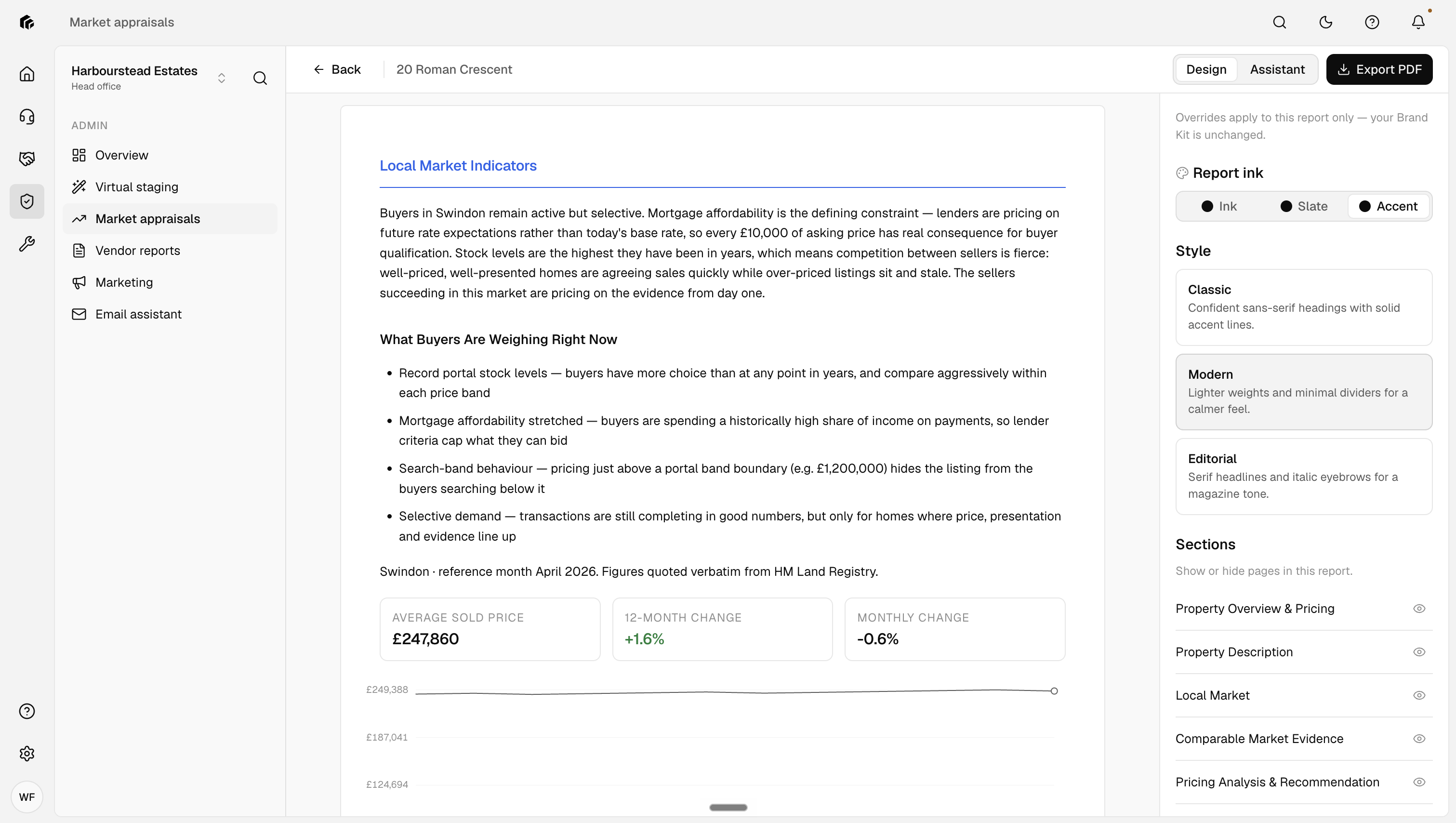
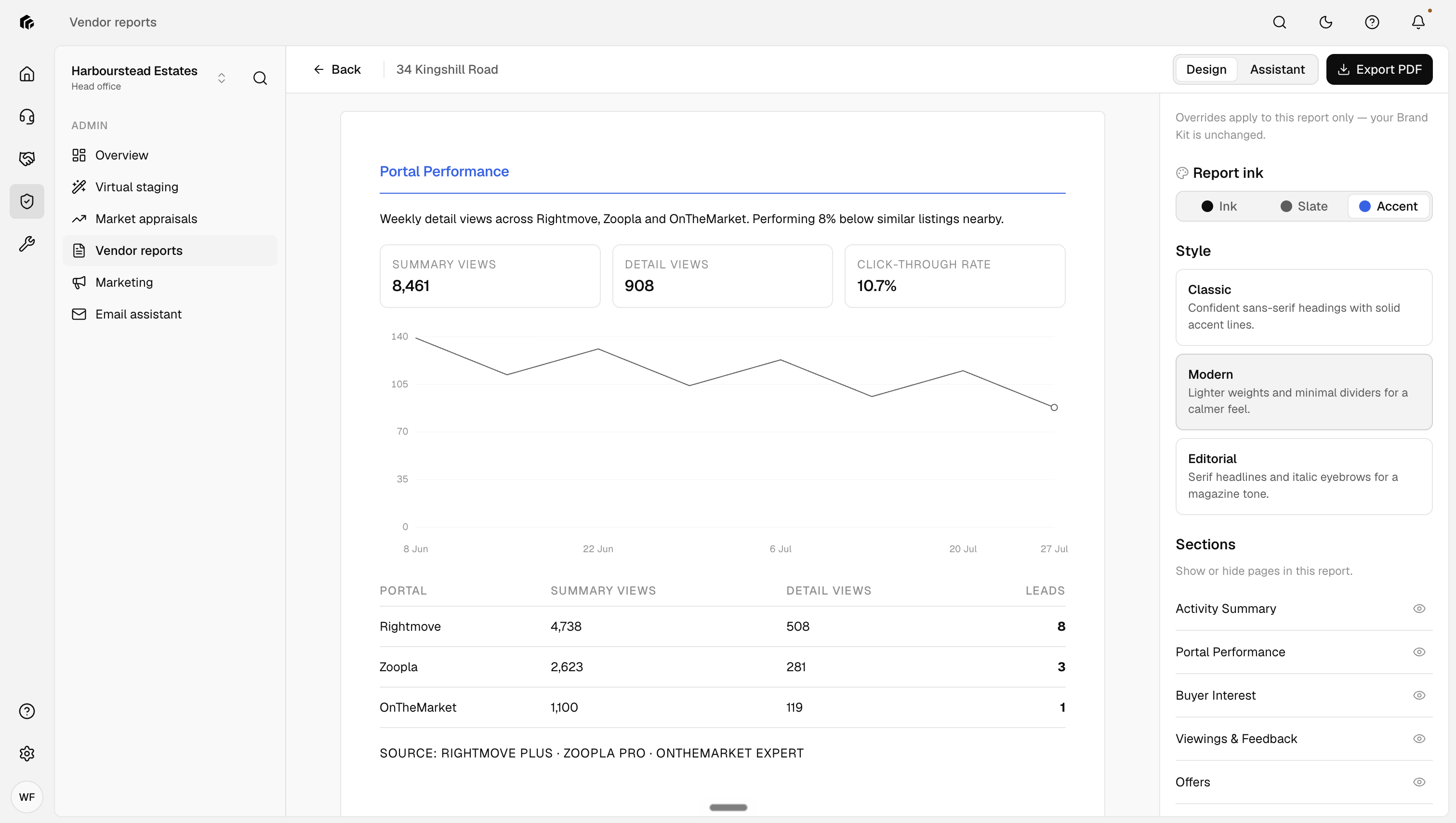
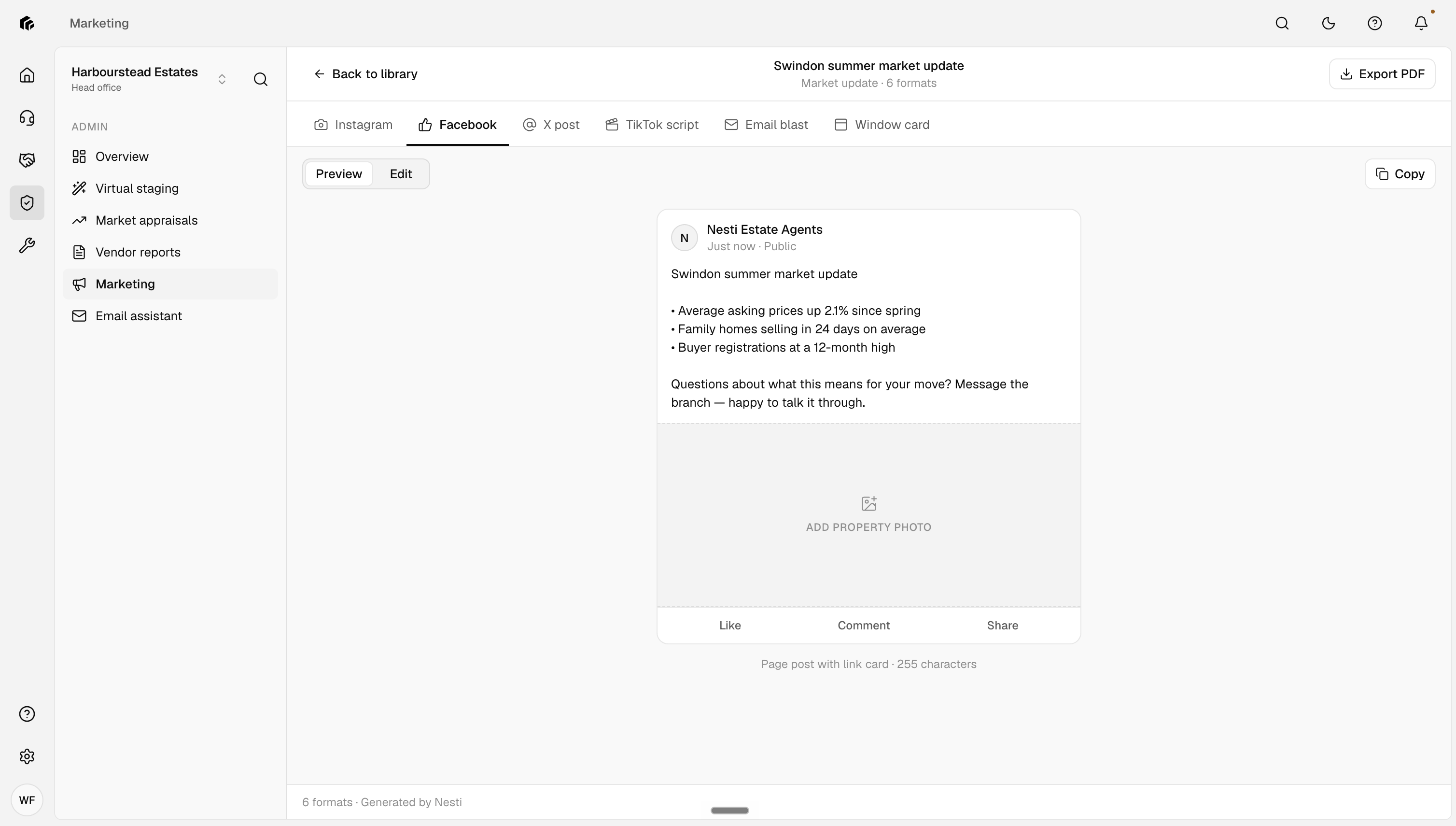
Vendor reports, market appraisals, social media, brochures, window displays and virtual staging. All produced straight from your CRM, so your negotiators get their week back.











What it produces
Real deliverables, built from your own CRM data, ready when the work needs them.
How the work
gets done
No briefs, no chasing. The administrator watches your CRM and gets on with it.
Working quietly
in the background
Set it up once and the admin keeps happening, whether a record lands in your CRM, a schedule comes round, or you just ask.
Driven by your CRM
A new property, and a market appraisal is prepared. A new vendor, and a vendor report is produced. The administrator watches your CRM and starts the work the moment the record lands.
New property, market appraisal prepared New vendor, vendor report produced No brief, no chasing, no reminders
Put it on repeat
Set a schedule and the work loops: a fresh vendor report for a contact every week, without anyone remembering to ask.
Call it, or email it
Pick up the phone and speak to your administrator, or send it an email and it emails back. Ask for what you need the way you would ask anyone on the team.
How you reach it
The administrator works inside your agency, so it sticks to the two your team already uses.
Your CRM stays in charge
The administrator is linked to your CRM both ways: its work starts from what lands in it, and the finished work is logged back to it.
 Alto
Alto  SME Professional
  Rex
Rex  Acquaint
  LeadPro
 Meet the rest of the workforce
See the whole teamFrequently asked questions
Straight answers on how the administrator fits into your agency. Anything we have missed, ask us on a demo.
What can it produce?
Vendor reports, market appraisals, social media posts for X, Facebook and Instagram, listing brochures, window displays and virtual staging.
Where does the information come from?
From your CRM. The administrator pulls the property and contact data it needs, produces the work, and logs the result back against the record.
Can it run on a schedule?
Yes. You can loop any job, like a fresh vendor report for a chosen contact once a week, and it repeats without being asked.
How do we ask it for something?
Call it on the phone, or email it and it emails back. It does not use WhatsApp or the website chat; those belong to the roles that speak to applicants and tenants.
Does it really stage photos?
Yes. Give it the listing photos and it virtually stages them room by room, ready for the listing and the brochure.